
Overview
The purpose of this article is to show how to enable remote debugging via a chrome devtools connection to a react application.
References
Prerequisites
At the root of the project, the following must be present:
Folder: /.vscode
File: /.vscode/launch.json :
Windows:
{

    "version": "0.2.0",
    "configurations": [
        {
            "type": "chrome",
            "request": "attach",
            "name": "Attach (OpenFin)",
            "port": 9222,
            "runtimeExecutable": "C:\Users\adamsaland\AppData\Local\OpenFin\runtime\14.78.46.14\OpenFin\openfin.exe",
            "url": "http://localhost:3000",
        }
    ]
}
Mac:
{

    "version": "0.2.0",
    "configurations": [
        {
            "type": "chrome",
            "request": "attach",
            "name": "Attach (OpenFin)",
            "port": 9222,
            "runtimeExecutable": "/Users/adamsaland/OpenFin/Runtime/14.78.46.14/OpenFin.app/Contents/MacOS/OpenFin",
            "url": "http://localhost:3000",
        }

    ]

}
Note:
the port specified in the launch config must match the --remote-debugging-port specified in the app.json
app.json:
{
  "startup_app": {
    "name": "OpenfinPOC",
    "url": "http://localhost:3000",
    "uuid": "OpenfinPOC",
    "applicationIcon": "http://localhost:3000/favicon.ico",
    "autoShow": true,
    "saveWindowState": false
  },
  "runtime": {
    "arguments": "--inspect --remote-debugging-port=9222",
    "version": "stable"
  },
  "shortcut": {
    "company": "OpenFin",
    "description": "Openfin POC",
    "icon": "http://localhost:3000/favicon.ico",
    "name": "Openfin POC",
  }
}
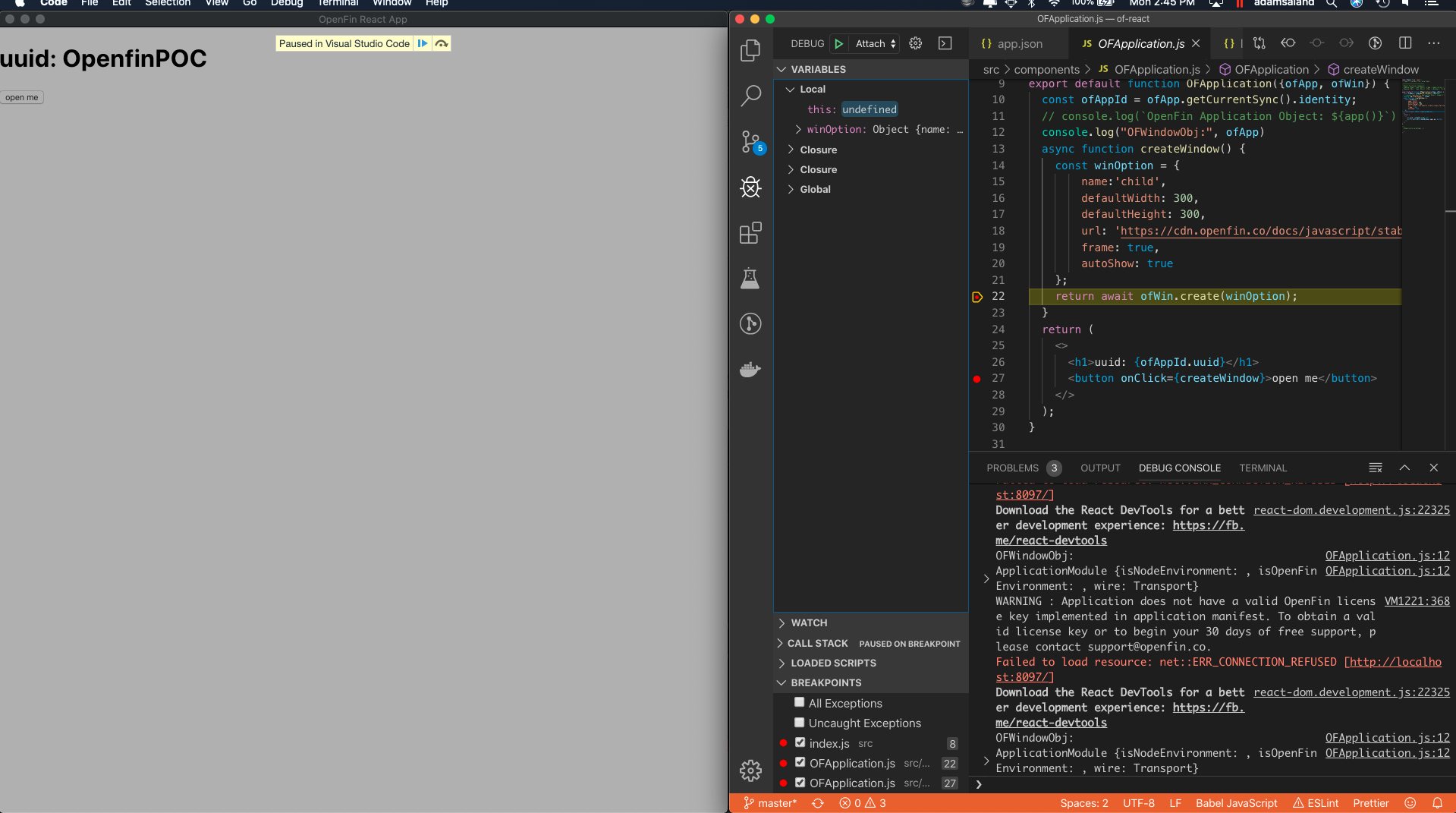
Once the application is launched in OpenFin:
- Press cmd | ctrl + shift + D to open the VS Code debugger panel
- Press enter or click the green play button to attach to the running Openfin instance
Comments
0 comments
Please sign in to leave a comment.